Who is in on Thursday, and is there a desk for them?
Attendance scheduling and desk booking for flexible working.
For offices of 30 to 250+ people. Works with Microsoft 365.
No card, no contract, nothing to install.
Nominated for Office Management Supplier of the Year three years running. About intheOffice
Trusted by thousands of users worldwide




















intheOffice is attendance scheduling and desk booking software for offices that work flexibly. People set the days they will be in, book a desk, a room or a parking space, and sign visitors in, and the office manager sees who is in on any day.
Scheduling
Nobody knows who is coming in until they arrive
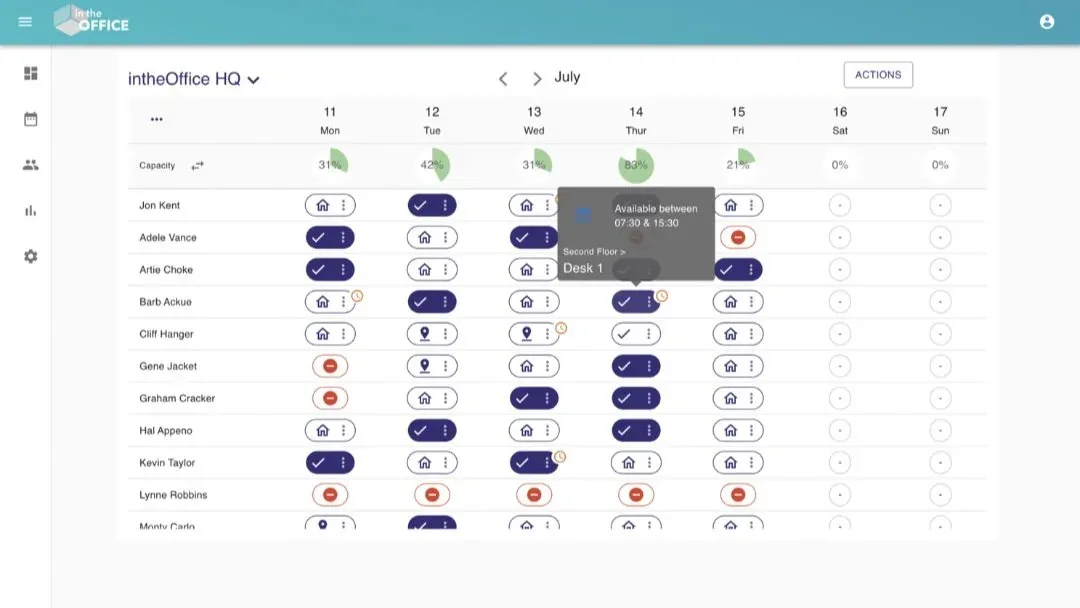
Each person sets their day in one click, and the whole week is on one screen before anyone has to ask.
The gauge above each day turns amber as the office fills, so a crowded Thursday is visible on Monday, when there is still time to change it.
Desk & Space Booking
Everyone wants Tuesday, and there are more people than desks
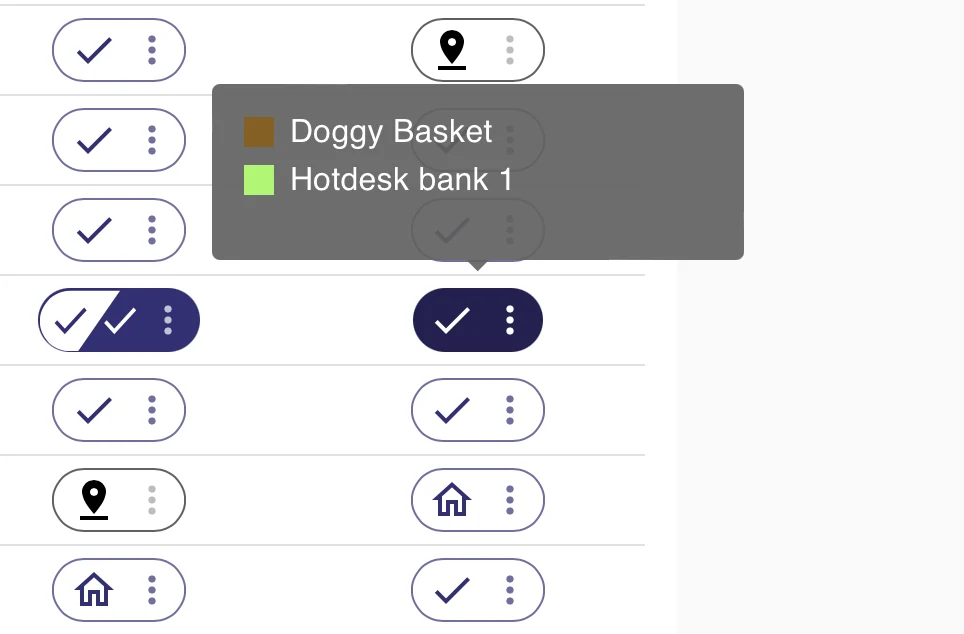
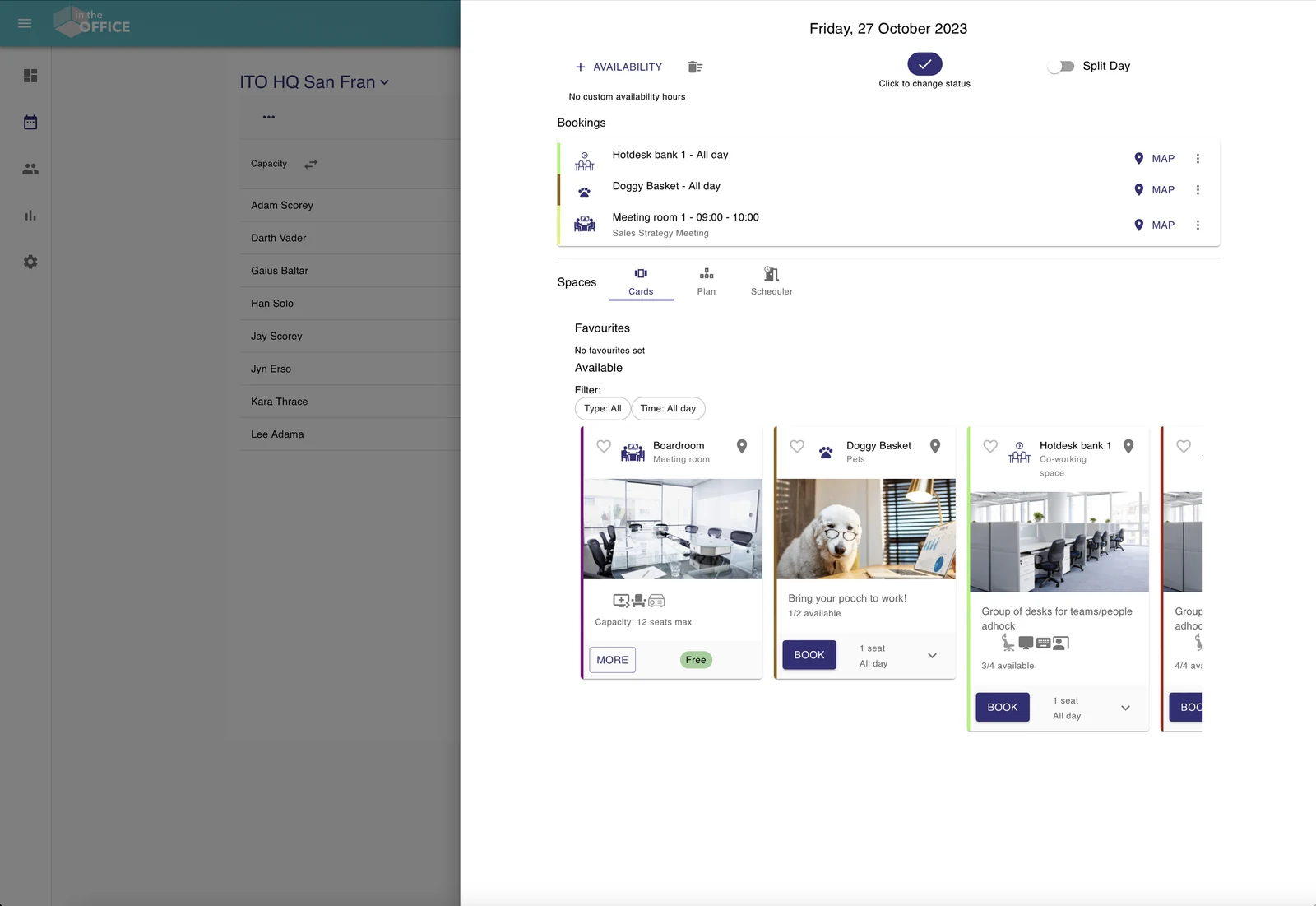
Desks, meeting rooms and parking spaces are booked against who has said they are in, so everyone who comes in has a place waiting.
Change your day to Working from home and the desk is released for somebody else.
Visitor Management
The visitor is in reception, and their host does not know
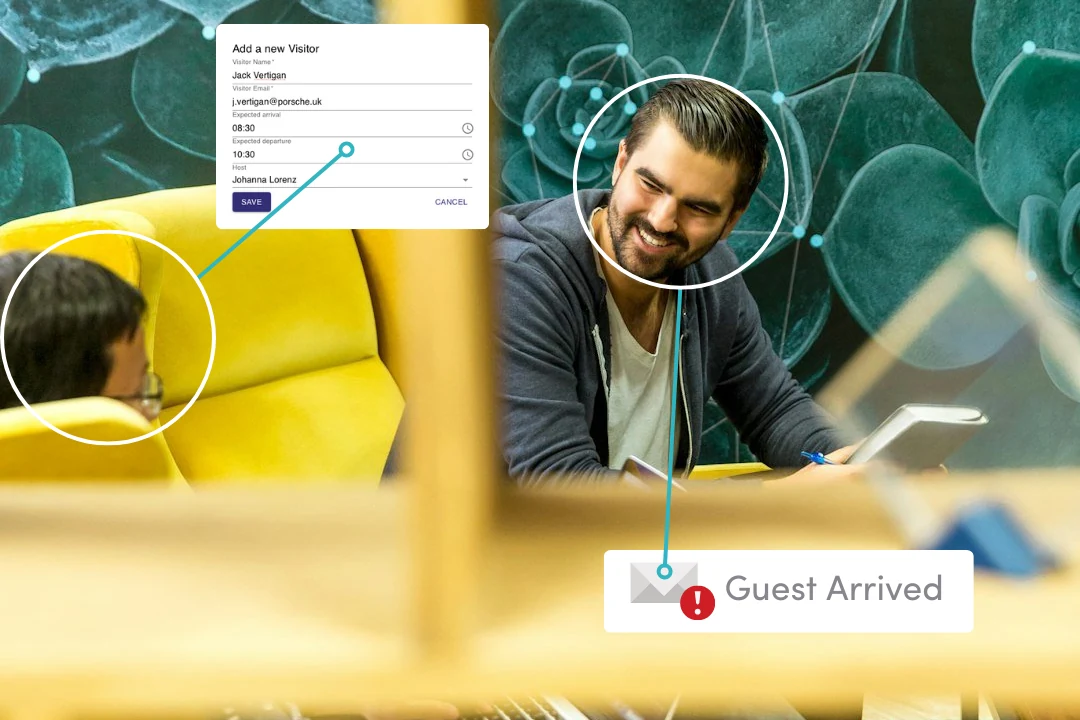
Visitors check themselves in on a tablet or with their own phone, and their host gets an email as they arrive.
No paper book, and nobody walking upstairs to say a guest is here.
Included with Scheduling and Visitor Management
In a fire drill, you have the list
The Live Health & Safety Register lists everyone on site, staff and visitors together, on the phone you carry out of the building.
Fire marshals and first aiders show on the schedule, so you know before the alarm whether one is in today.
Reporting
The lease is up, and nobody can say how full the office really is
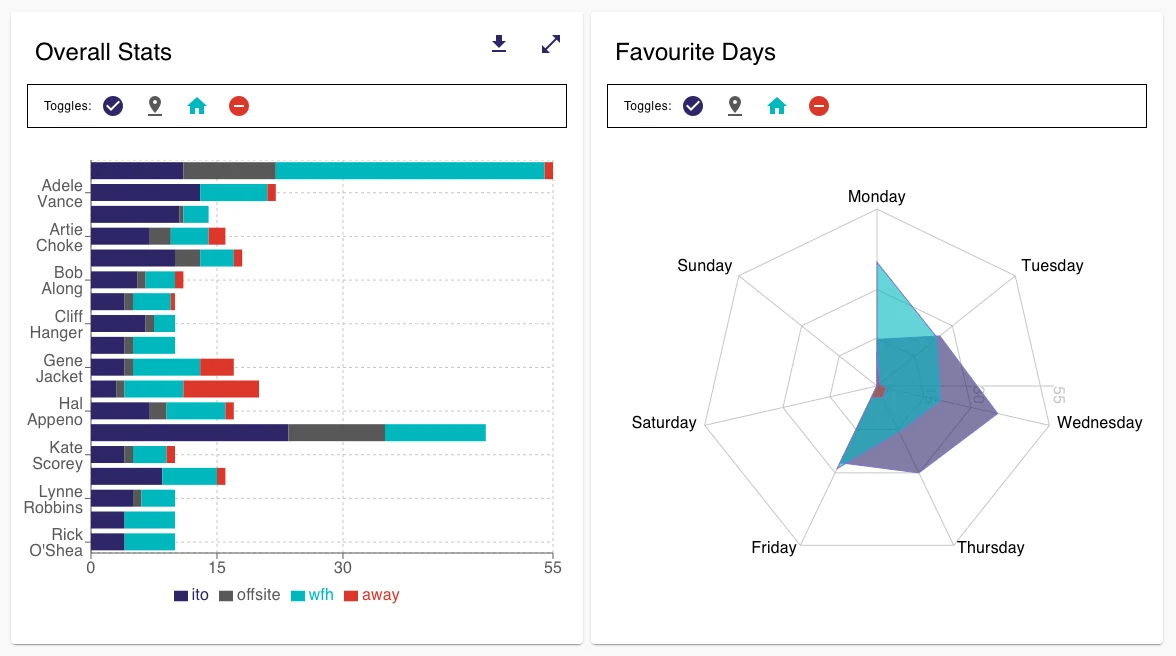
Reporting turns the schedule into numbers: who was in, on which days, and how full the desks and rooms were, over any date range.
It exports to CSV, so the lease review starts from what happened rather than what people remember.
How a rollout goes
- Create the account with your work email or Microsoft sign-in, and add your people from Microsoft 365 or a spreadsheet.
- Print the QR poster for the door, send the announcement we give you, and everyone sets their first week.
- Switch on Desk & Space Booking, Visitor Management or Reporting when you want them.
It works with what you have: Microsoft sign-in, a tab in Microsoft Teams, and any device with a browser, with nothing to install and nothing to buy beyond a tablet in reception. Send this to IT
Creditsafe put over 100 people on it in two days.
Support
Support comes from the people who built intheOffice, led by the founder.
“It's been so nice to work with such a helpful and lovely supplier”
Hannah MillsSenior Facilities Manager, Fairtrade Foundation
Who it's for
- Office managers
Their week, the desks, the visitors and the fire drill, in one tour.
- HR
A hybrid working policy people follow, and the wording to tell staff what is recorded.
- IT and security
Microsoft sign-in, Teams, where the data is and the API, as a PDF to file.
- Operations and finance
What the office costs, and what the data says.
- EAs and PAs
Is the CEO in today, and where are they sitting?
No card, no contract, nothing to install.