For office managers: who is in, and is there a desk for them
The week, the desks, the visitors and the fire register, in one place.
No card, no contract, nothing to install.
Creditsafe put 100 people on it in two days.
Your week
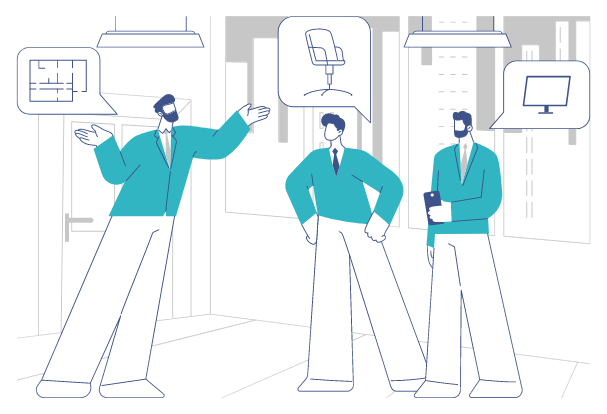
Five things that land on the office manager’s desk, every week.
The register on the wall
The list of who is in the building is a printed sheet by the door, and it is only as good as the last person who remembered to sign it.
The fire drill
The alarm goes and you have to account for staff, contractors and whoever is sitting in reception, outside, in the rain, from a clipboard.
The Tuesday crunch
Everyone wants Tuesday. There are more people than desks, somebody ends up on a meeting room chair, and on Friday the floor is empty.
The visitor at the door
A visitor arrives, their host is upstairs and does not know, and the paper book is signed by people who never read it.
The "are you in tomorrow?" messages
The answer lives in a group chat, a calendar invitation and somebody’s memory, and it is out of date by the time you have collected it.
What changes
The same week, answered in the same order.
The register, and the roll-call
The Live Health & Safety Register lists everyone on site right now, staff and visitors together, with who has checked in and who has already gone home. It is in every account, it is on any screen you can carry outside, and it exports, so the roll-call happens in the car park rather than at the noticeboard. People check themselves in by scanning the QR poster on the door with their own phone, which is Scan In; scanning again checks them out.
Before the Tuesday crunch
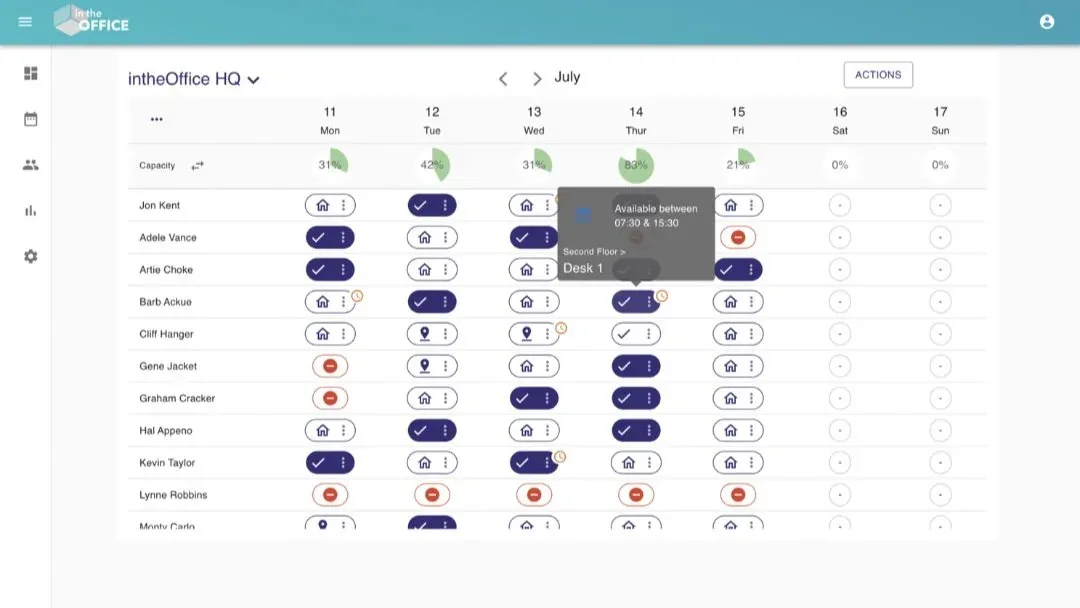
Set the capacity of the office as a headcount, a percentage or the number of desks. The gauge above each day turns green, amber then red as it fills, so a busy Thursday is visible on Monday and people can move their day while there is still room. Desks, meeting rooms, offices, co-working spaces, areas, parking spaces, lockers and pet spaces are booked against real availability, by the day, the morning, the afternoon or the hour.
The visitor at the door
Anyone can pre-register a visitor with arrival and departure times. The visitor signs in on a tablet at reception or by scanning a QR code with their own phone, the host is emailed the moment they arrive, with a copy to a colleague if they want one, and your site policies or safety briefing are ticked before check-in. Contractors have their own route to a nominated host, and every visitor appears on the Register beside your staff.
No more "are you in tomorrow?"
Everyone sets their own day with one click on the chip beside their name: In the office, Working from home or Away. You see the whole office as one grid of people against days, filtered to a team or a Group, and a weekly Routine fills in a fixed pattern so nobody re-enters it. The question stops being asked, because the answer is already on the screen.
Your first two weeks, then send it on
- Day one, you create the account with your work email or your Microsoft sign-in, name the office, set its capacity, and add your people from Microsoft 365 or a spreadsheet.
- That week, everyone sets their own days and you print the QR poster for the door. There is an announcement you can send as it is written.
- Week two, you switch on Desk & Space Booking or Visitor Management, add your desks, rooms and parking spaces, and tell people in the same thread as the first message.
Sign-in, where the data is held, what is held and what is not, and the read-only API.
Capacity, utilisation and attendance by day, and what the office costs each month.
What HR needs to know, and the words to tell your staff.
How intheOffice supports office managers
- Office capacity as a headcount, a percentage or the number of desks
- The Register, staff and visitors on one list, exportable
- Desk booking with a floor plan, so people can see where the desk is
- Daily statuses and weekly Routines
- Hybrid working policy adherence, office by office
- Favourite and busiest days, shown as a chart
- Visitor management, with the host emailed on arrival
- Touchless QR code check-in
- Microsoft sign-in and the Microsoft Teams app
- No set-up fees and no card needed
More on intheOffice for office managers
Groups
Teams inside an office, so a 200-person schedule is readable. A person can be in many Groups, and a Group can have its own admin.
Multiple Locations
A location for each real office, each with its own capacity, spaces, Groups and reporting, on one people list.
Microsoft sign-in and Teams
People sign in with their Microsoft account, and intheOffice runs as a tab in Microsoft Teams, so setting a day does not mean opening another tool.
People come and go
Add or remove people as they join and go: invite by email one at a time, or import the list from a spreadsheet.
Available across all of your devices
intheOffice runs in the browser on a desktop, a laptop, a tablet or a phone. There is nothing to install and no hardware to buy.
The space question
Forbes research says the office space a business needs can fall by 30% under hybrid working. Reporting gives you the number for your own office rather than somebody else’s.
Support
Support comes from the people who built intheOffice, led by the founder.
Hybrid research from intheOffice
Four short reports, as PDFs. They and the guides are on the guides and research page.
No card, no contract, nothing to install.