Team coordination: the right people in on the same day
Groups, Request Attendance and the weekly Routine, so a team's office days line up without a group chat.
No card, no contract, nothing to install.
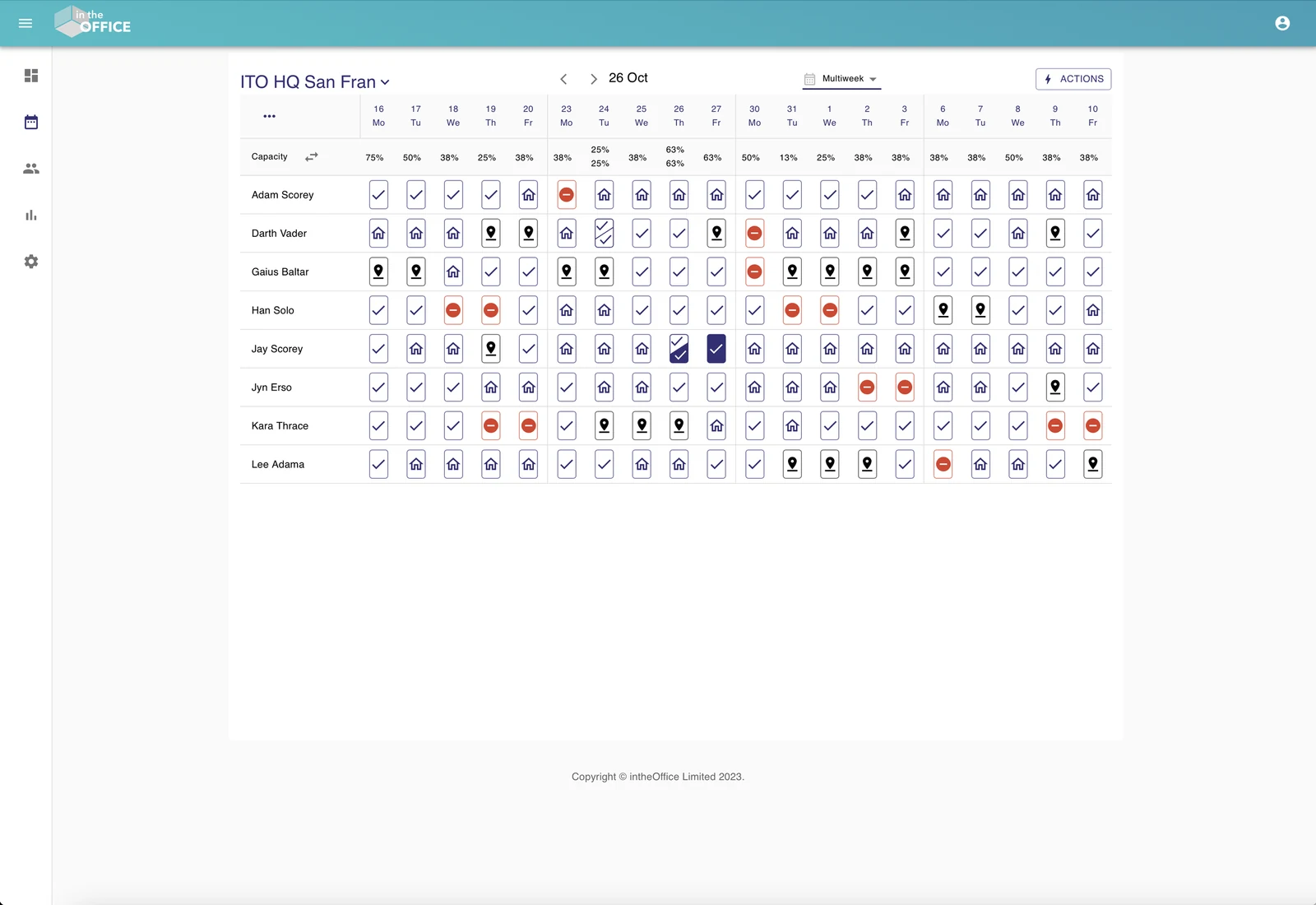
Are you in the office this week?
Tools for leaders, managers and teams to coordinate people and projects.
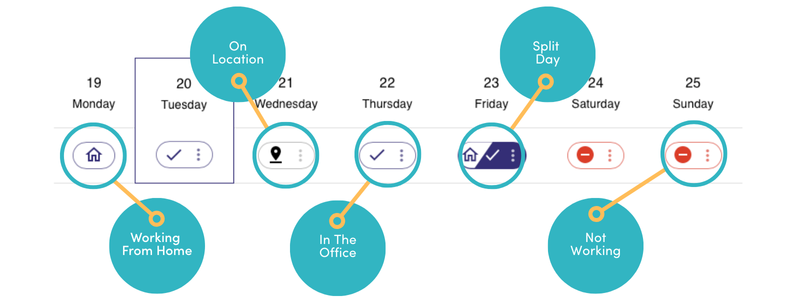
Set your daily status
A status on each day says where that person is working: In the office, Working from home or Away. Advanced Scheduling adds Offsite, for a day at a client or another office.
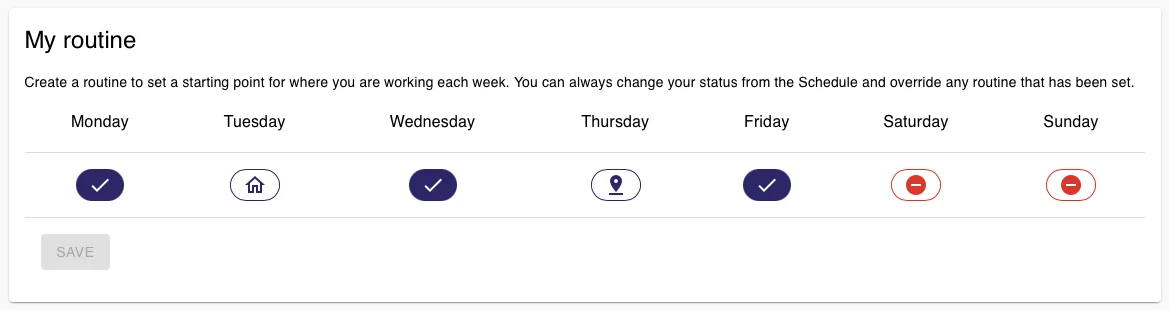
Create weekly Routines
If you have a regular pattern of work, save it once as a Routine and the schedule fills itself in ahead of you, so there is no weekly update to write. Change any day by hand when things change. Part of Advanced Scheduling.

Groups for the teams that work together
Rather than an overview of everyone in the company, create Groups of people who regularly work together. A person can belong to one Group or many, and a Group can have its own admin.
Request Attendance
Plan a face to face meeting or a collaboration day by inviting colleagues into the office. An invitation can be a request to change a status, or it can set their status to In the office for them. Part of Advanced Scheduling.

Split days
In the office in the morning and then a client meeting in the afternoon? Divide the day into AM and PM and set a status for each half, with capacity counted for each half. Part of Advanced Scheduling.

Microsoft 365 sign-in
People sign in with their Microsoft 365 account, and the Microsoft 365 people sync brings your staff list across so nobody is typed in twice.

Microsoft Teams app
Add intheOffice as a tab in Microsoft Teams and people set their day without leaving the conversation they are already in.
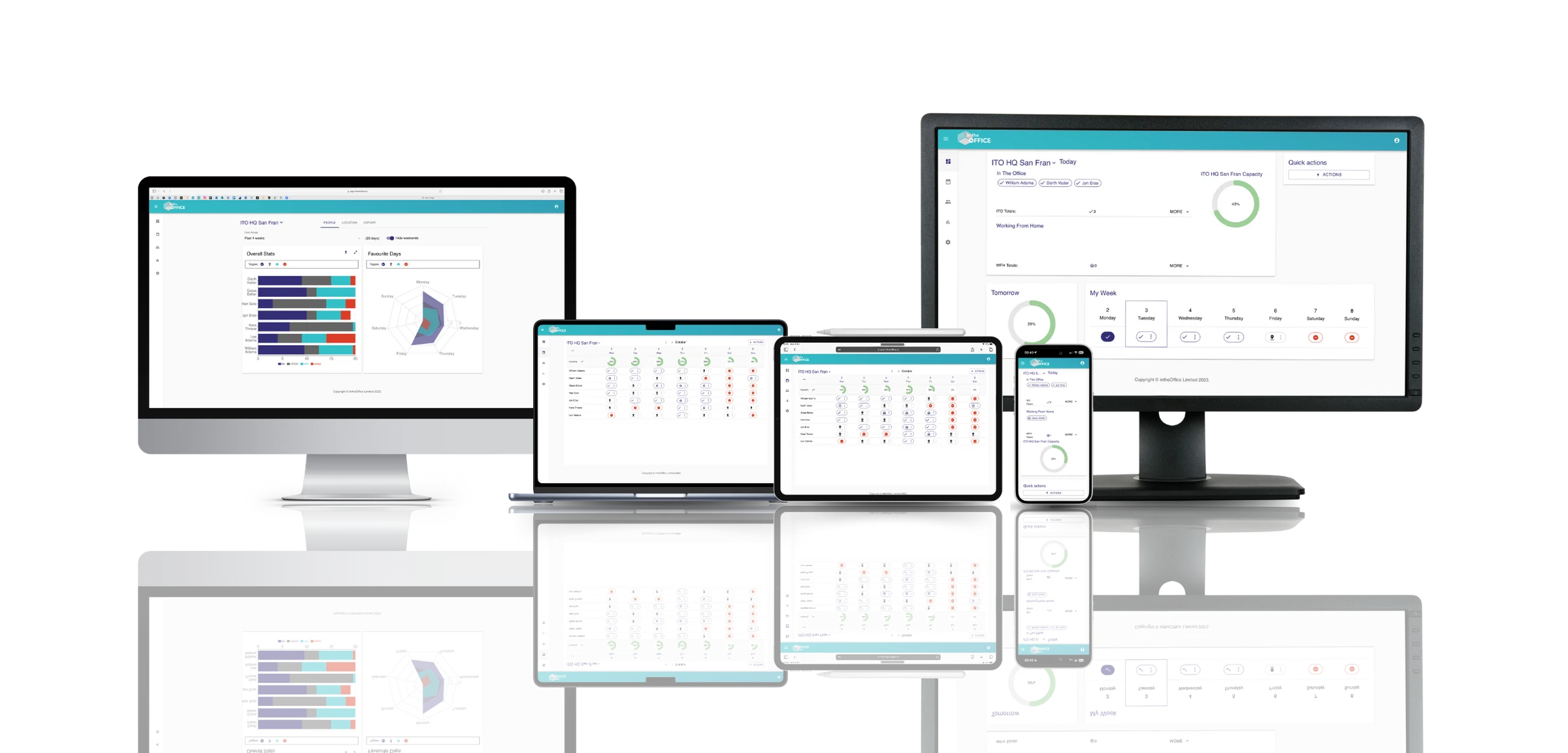
Available across all your devices
More products from intheOffice

No card, no contract, nothing to install.